One selfie
Your product
Every angle

Shoppers upload a selfie and get a 360° video of themselves wearing your product, front and back, right on your Shopify product page.A 360° video of each shopper in your product, front and back.

Shopper selfie
Selfiefrom the shopper
+
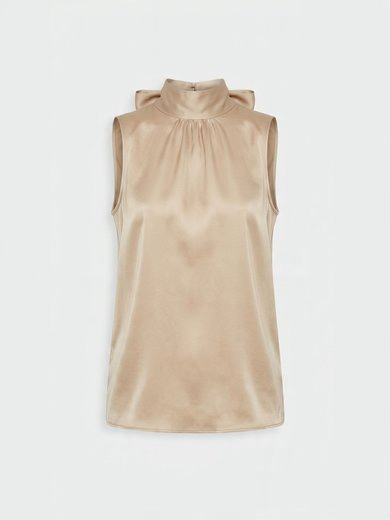
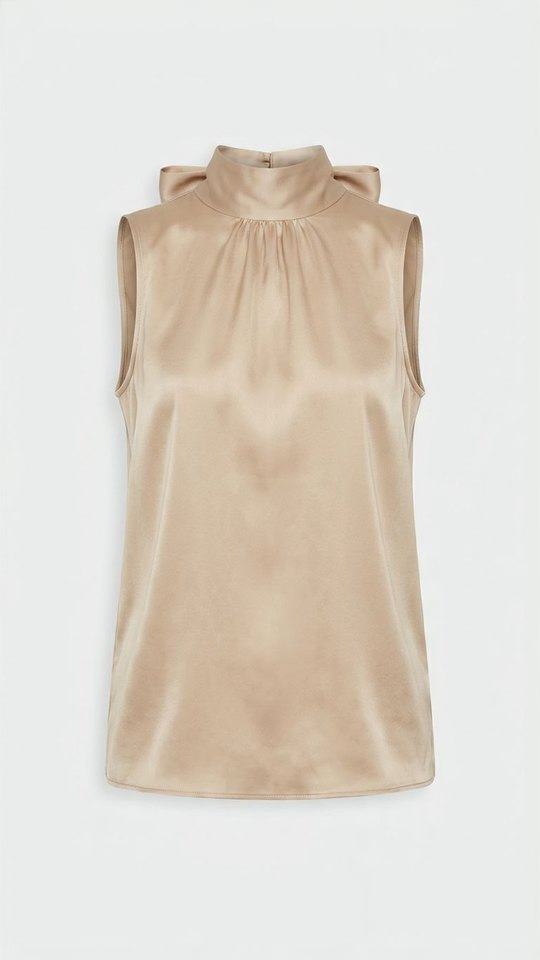
Product photo
Productfrom the store

Try before they buy

Shoppers see the fit, the drape and the back of the garment on their own body before they add to cart.Fit, drape and back, on their own body.

No photoshoot needed

A front and a back photo of each product is all LayerTry needs. No models, no studio.Just a front and a back photo.

Your whole catalogue, in 360°

Every product in your Shopify store gets its own fitting room, automatically.

A fitting room that turns around

Most try-ons stop at one flat image. LayerTry turns the shopper all the way around, so the print on the back and the cut at the side are part of the decision.
  • Front, side and back of the real product, not a guess
  • The shopper's own face, build and posture
  • Full 360° or a quick mirror check
  • Drag to turn, or let it play like a mirror
Product photo from the storeYour product
The shopper's selfieTheir selfie
360°

Live in three steps

  1. Add your product photosFront and back, the ones you already have
  2. Your shopper takes a selfieRight on the product page
  3. They see themselves in 360°Front, side and back, in your product

Every product, its best pose.

Clothing, bags, earrings and rings. LayerTry picks the pose that shows each one best.

See what the try-on sells

LayerTry follows every shopper from the first try-on to the checkout, so you know exactly which products it turns into sales.

  • From try-on to orderEvery try-on, add to cart and purchase in one funnel.
  • Product by productSee which items get tried the most and which ones sell after it.
  • Spot what stallsFind the products shoppers try on but don't buy.
Try-on funnel Example
Viewed the product
tried it on
Tried it on
added to cart
Added to cart
bought it
Purchased

Start free. Upgrade when it sells.

Every plan includes 360° video try-on, only on LayerTry. Billed through Shopify, no credit card to start, cancel anytime.

Free

$0

20 credits once≈ 5 full 360° try-onsvalid 30 days · no card needed

Try it Free
  • Try-on on every product
  • Photo, Mirror check and 360°
  • Analytics dashboard
  • Email support

Essential

$49.99/ month

300 credits / month≈ 75 full 360° try-ons+ $0.20 per extra credit

Choose Essential
  • Try-on on every product
  • Photo, Mirror check and 360°
  • Analytics dashboard
  • Email support

Premium Recommended

$99.99/ month

700 credits / month≈ 175 full 360° try-ons+ $0.17 per extra credit

Choose Premium
  • Try-on on every product
  • Photo, Mirror check and 360°
  • Analytics dashboard
  • Email support

Signature

$199.99/ month

1,600 credits / month≈ 400 full 360° try-ons+ $0.14 per extra credit

Choose Signature
  • Try-on on every product
  • Photo, Mirror check and 360°
  • Analytics dashboard
  • Email support

What your credits cover

What your credits cover
PlanFreeEssentialPremiumSignature
Credits20 once300 / month700 / month1,600 / month
Extra creditafter the plan runs out—$0.20$0.17$0.14
Photo try-ons1 credit each203007001,600
Mirror checks2 credits each10150350800
360° try-ons4 credits each575175400

Large catalogue or several stores? Book a demo for a custom plan.

Questions, answered

What is a credit?
  • Credits pay for try-ons
  • Photo try-on: 1 credit
  • Mirror check: 2 credits
  • Full 360° try-on: 4 credits
  • You only pay for new try-ons
  • Seeing a try-on again is free: it stays saved on the shopper's device
What happens if I run out of credits?
  • Try-on keeps working: extra credits are charged automatically, up to the monthly limit you set
  • Extra credits are charged at your plan's rate: $0.20 on Essential, $0.17 on Premium, $0.14 on Signature
  • You set a monthly spending limit, so you are never charged more than you choose
  • Your monthly credits renew each billing cycle
Is there a free plan?
  • Yes: 20 free credits for every new store, about 5 full 360° try-ons
  • The free credits are valid for 30 days
  • No credit card needed
  • Upgrade whenever you are ready
Do I need to code or change my theme?
  • No code needed
  • Install the app from the Shopify App Store
  • The try-on button appears on your product pages and works with your current theme
Which products work with LayerTry?
  • Clothing: dresses, tops, jackets, trousers, skirts
  • Bags
  • Jewellery: earrings, necklaces, rings
Why do my product photos matter?
  • The try-on is built from your product photos, so their quality shows directly in what your shoppers see
  • Use sharp, well-lit, high-resolution photos with true colours
  • Show the whole product, front and back, with nothing covering it
  • Blurry, dark, cropped or low-resolution photos can make the try-on less accurate
Do shoppers need an account?
  • No account and no login
  • Shoppers try products on right on the product page
Can I change or cancel my plan?
  • Yes, anytime
  • Plans are billed through your Shopify account
  • Upgrade, downgrade or cancel from your Shopify admin

Something else? [email protected]

From install to live in minutes

Install the Shopify app and the try-on button appears on every product page. No code and no theme edits.

Available asShopify appTheme widget

Bring your collection to life

See what one product photo can become with LayerTry.

Install on Shopify